CoursesBackend engineering from first request to production
Puzzle 14 · 15 of 18
Who replaces a missing pod?
Watch a local cluster restore a process and inspect what survives.
All puzzles in this course
The problem
A pod groups containers that run together. Docker can restart your app. Who notices when its whole pod disappears? Will the bookmark come back with it?
See it
Scroll sideways to see the full diagram.
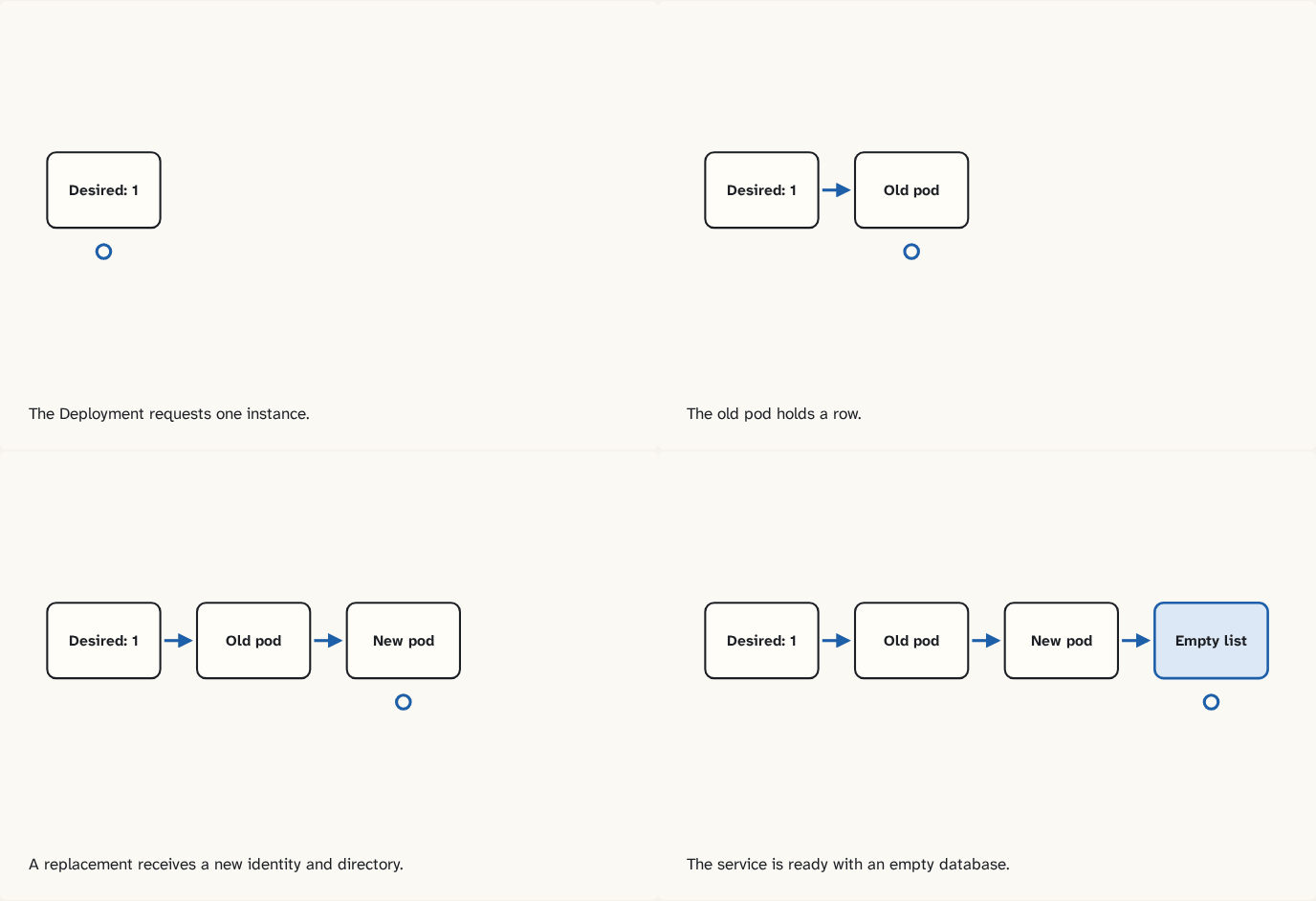
The Deployment requests one instance.
Step 1 of 4The old pod holds a row.
Step 2 of 4A replacement receives a new identity and directory.
Step 3 of 4The service is ready with an empty database.
Step 4 of 4
The building block
A pod is the unit Kubernetes schedules. A Deployment declares the desired application and replica count. Its controller manages a replica set, which creates pods to reach that count. Kubernetes selects a node and the node starts the container. A readiness probe checks when the instance can serve work. Our database uses a directory scoped to this pod. Restarting a container in the same pod preserves it. Replacing the whole pod gives the new instance a fresh directory. A green probe can therefore coexist with missing data.
Trace the three lifetimes
An application process runs in a container, and Kubernetes runs that container inside a pod. In this exercise the pod mounts a temporary directory belonging to that pod. Container A writes river, stops, and restarts within the same pod: the volume is still there. A rollout creates a replacement pod, whose own empty directory starts without river. To preserve the row across replacement, the new pod must attach storage that outlives the old one. The workbench assumes one writer. Adding replicas with their own temporary databases would create separate copies of the service state.
Try it
Optional local lab
Run the isolated cluster drill. Record the pod identities and list contents before and after the rollout. Explain why adding another replica would give inconsistent lists here.
Check yourself
What you now know
A Deployment describes the desired pods. Their storage lifetime depends on the selected volume.
Answer every question above correctly to unlock the next puzzle.
Something wrong or unclear on this page? Tell me: a puzzle that didn't click is a bug in the puzzle.