CoursesBackend engineering from first request to production
Puzzle 12 · 13 of 18
Can two releases share one schema?
Change the shape of stored data while an older reader is still running.
All puzzles in this course
The problem
The save route used to accept just a name. Version two wants a label on every bookmark. Some version-one clients still write only the name. When is it safe to require the label?
See it
Scroll sideways to see the full diagram.
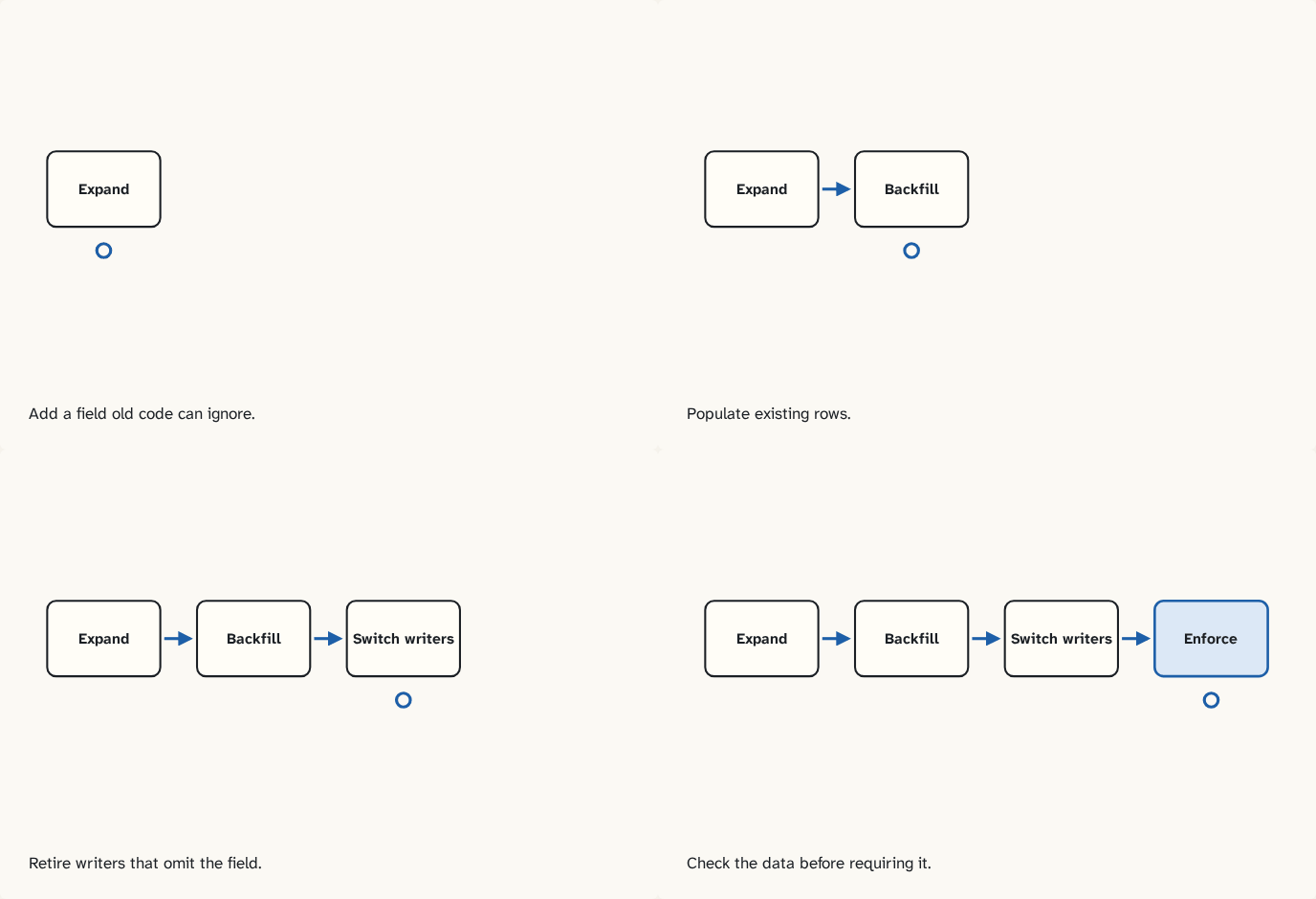
Add a field old code can ignore.
Step 1 of 4Populate existing rows.
Step 2 of 4Retire writers that omit the field.
Step 3 of 4Check the data before requiring it.
Step 4 of 4
The building block
Start with a nullable label column. Old readers selecting the name keep working. Backfill existing rows and deploy writers that populate the new field. While an old writer still runs it can create another missing label. Verify the backfill after old writers retire before enforcing the new rule. Test rollback of the application against the expanded database. Take a backup and read sample rows from an independent restored copy. A successful image rollback cannot reconstruct a dropped column.
Practice a mixed-version rollout
At noon the new label field is optional. The backfill copies river into its label. At 12:01 an old writer inserts hill and supplies no label. Counting missing labels now returns one, even though the earlier job reported success. Let new writers fill the label while old readers still request only the existing fields. Once old writers are gone, run the catch-up pass, count missing labels again, and then enforce the rule. Keep the compatibility window open until rolling back to the previous application is no longer required.
Try it
Optional local lab
Run the migration and snapshot exercise. Add an old-style insert after the backfill. Demonstrate the missing label and restore a sample into a separate database.
Check yourself
Sources
What you now know
An additive migration gives old and new application versions a period of compatibility.
Answer every question above correctly to unlock the next puzzle.
Something wrong or unclear on this page? Tell me: a puzzle that didn't click is a bug in the puzzle.