CoursesBackend engineering from first request to production
Puzzle 3 · 4 of 18
Where does the data live during a release?
Replace the running service while keeping its bookmark file.
All puzzles in this course
The problem
Your integration test already showed that a fresh process can reopen the same file. Think of installing a new app version. Which part of the server should change with the release and which part should you be able to attach again?
See it
Scroll sideways to see the full diagram.
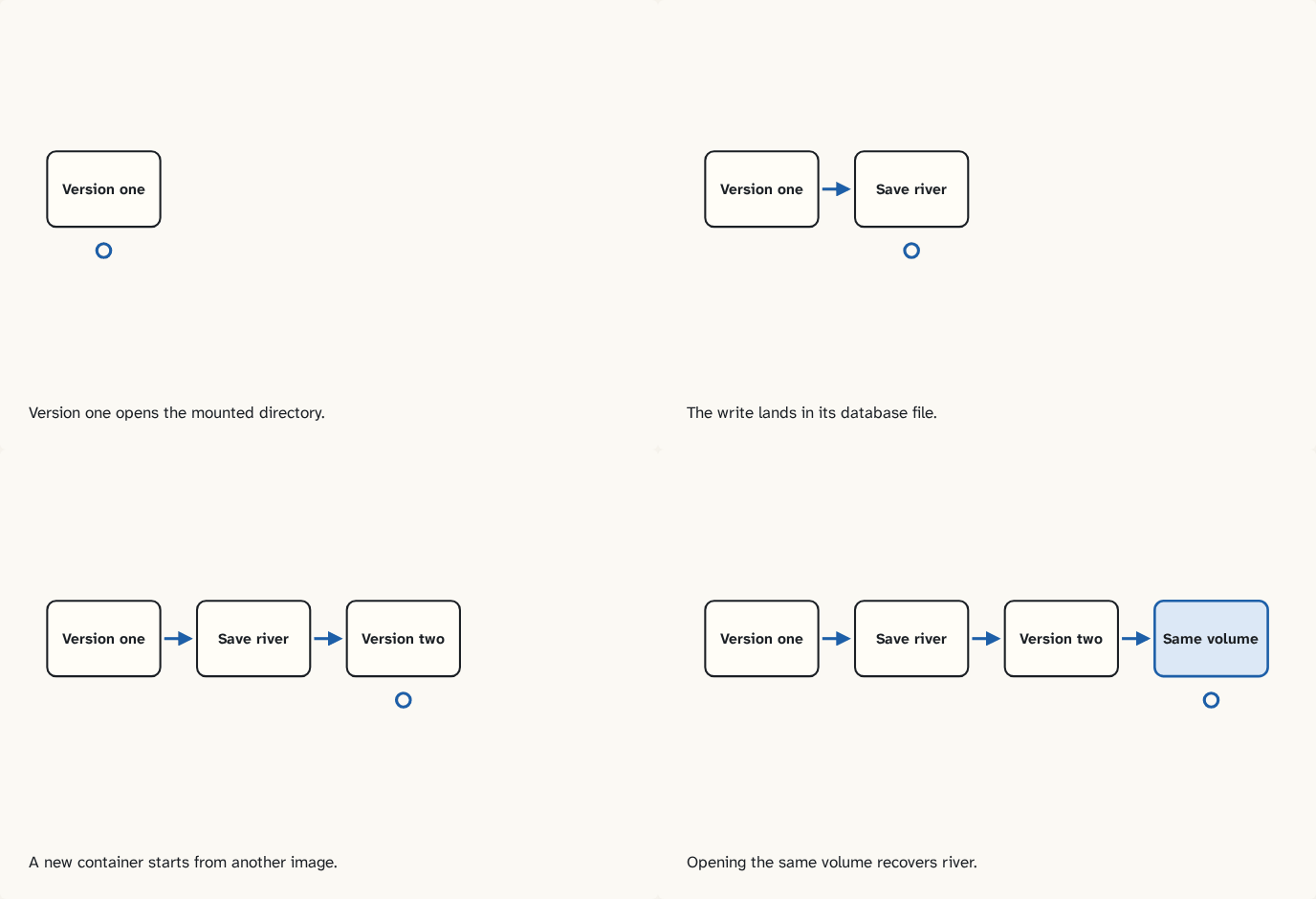
Version one opens the mounted directory.
Step 1 of 4The write lands in its database file.
Step 2 of 4A new container starts from another image.
Step 3 of 4Opening the same volume recovers river.
Step 4 of 4
The building block
A named volume is a storage location Docker can attach to successive containers. Build the first image from the supplied Dockerfile. An image packages the program and its runtime. A container is a running instance with its own writable layer. The lab mounts a named volume at /data and points the database file there. Stop version one, then start version two on the same port with the same volume. Test the ready response and list river. A fresh volume gives a healthy but empty service. Readiness by itself cannot tell you which data you mounted.
Separate the program version from its data
Version one writes river into volume A and is removed. Version two has the new code, an empty writable layer and volume A mounted at the database path. Reading river now tests continuity across replacement. Repeat with a new volume B. Version two can create an empty database there, start successfully and report an empty list. Compare the running version, the mount name and the actual file path. Each answers a different question. A named volume makes replacement possible; a separate, tested backup answers how to recover if that volume is lost.
Try it
Optional local lab
Follow the two-version release in the lab. Save the test output, image names and the list before and after replacement.
Check yourself
Sources
What you now know
A named volume gives replacement containers access to the same stored data.
Answer every question above correctly to unlock the next puzzle.
Something wrong or unclear on this page? Tell me: a puzzle that didn't click is a bug in the puzzle.