Android from the foundation · Start here
A running app is a process
When you open an app, the phone starts it as a separate program with its own private data. That's why one app crashing doesn't take the others down.
The problem
You've built an app. But what actually happens when someone taps its icon? And why can a crashing game not take your notes app down with it? Everything in this course starts here.
See it
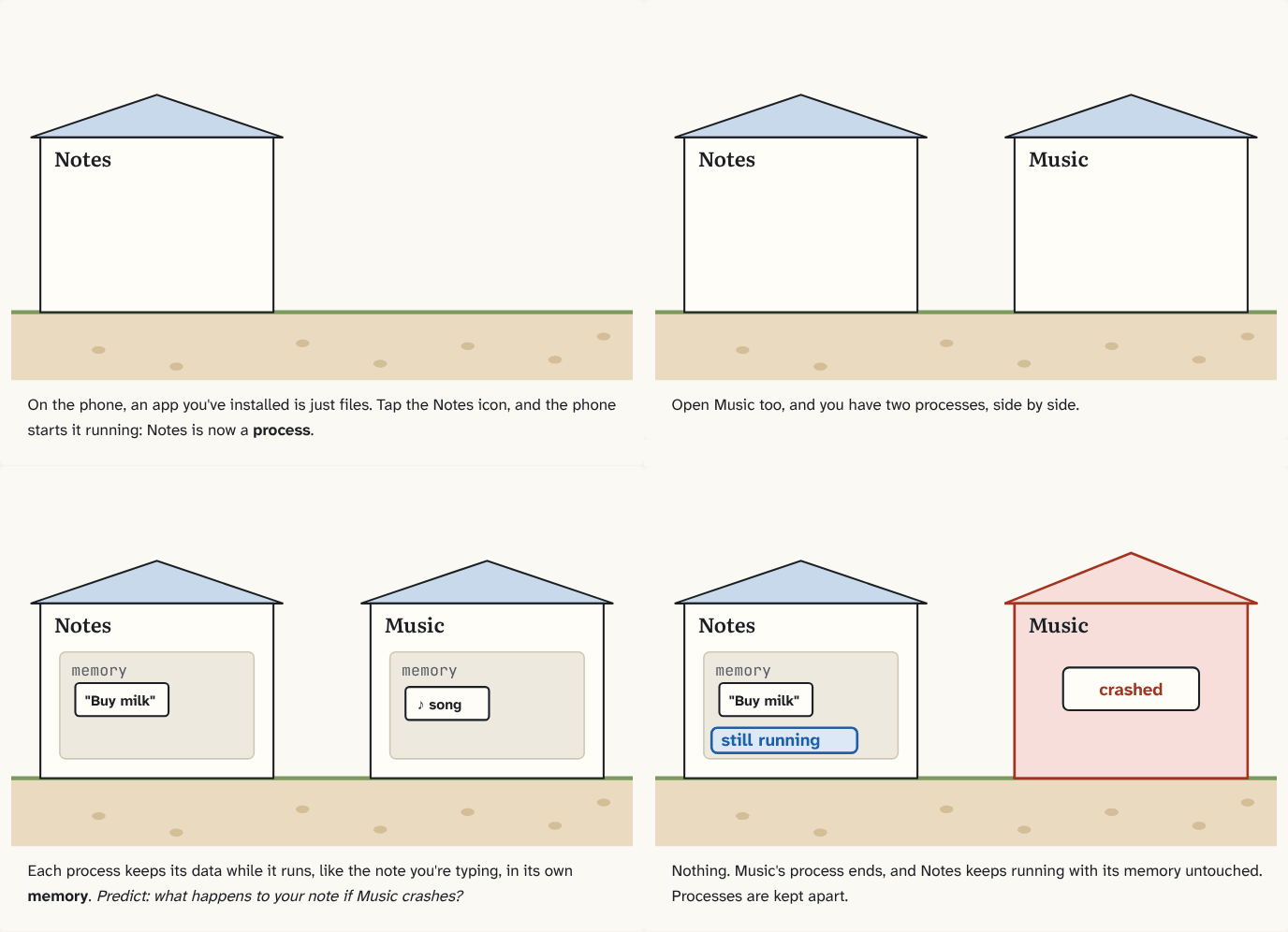
On the phone, an app you've installed is just files. Tap the Notes icon, and the phone starts it running: Notes is now a process.
Step 1 of 4Open Music too, and you have two processes, side by side.
Step 2 of 4Each process keeps its data while it runs, like the note you're typing, in its own memory. Predict: what happens to your note if Music crashes?
Step 3 of 4Nothing. Music's process ends, and Notes keeps running with its memory untouched. Processes are kept apart.
Step 4 of 4
The building block
A process is a running program. When you tap an app's icon, the phone starts it as a process; when the phone closes it, the process ends. The app's files stay installed either way.
Each process has its own memory: the data the program keeps while it runs, like the text you're typing or the list on the screen. One process can't see or change another process's own data in memory.
The analogy
Each running app is a house. Its memory is everything inside the house. Neighbours live in their own houses: they can't walk into yours, and if a house burns down, the street is still standing.
Check yourself
Sources
What you now know
An installed app is just files. A running app is a process, with its own memory that no other process can touch.
Answer every question above correctly to unlock the next puzzle.