Android from the foundation · Puzzle 6 of 16
Each app gets its own account
The kernel keeps processes apart while they run. Android also keeps each app's files apart, by giving every app its own identity.
The problem
In puzzle 0, two running apps couldn't touch each other's memory. But apps also keep files on the phone, like a bank app's saved login and balance. When the bank app isn't even running, what stops a game from opening its files?
See it
Linux keeps accounts apart. An account is an identity the kernel uses to decide who owns which files: every file is marked with its owner.
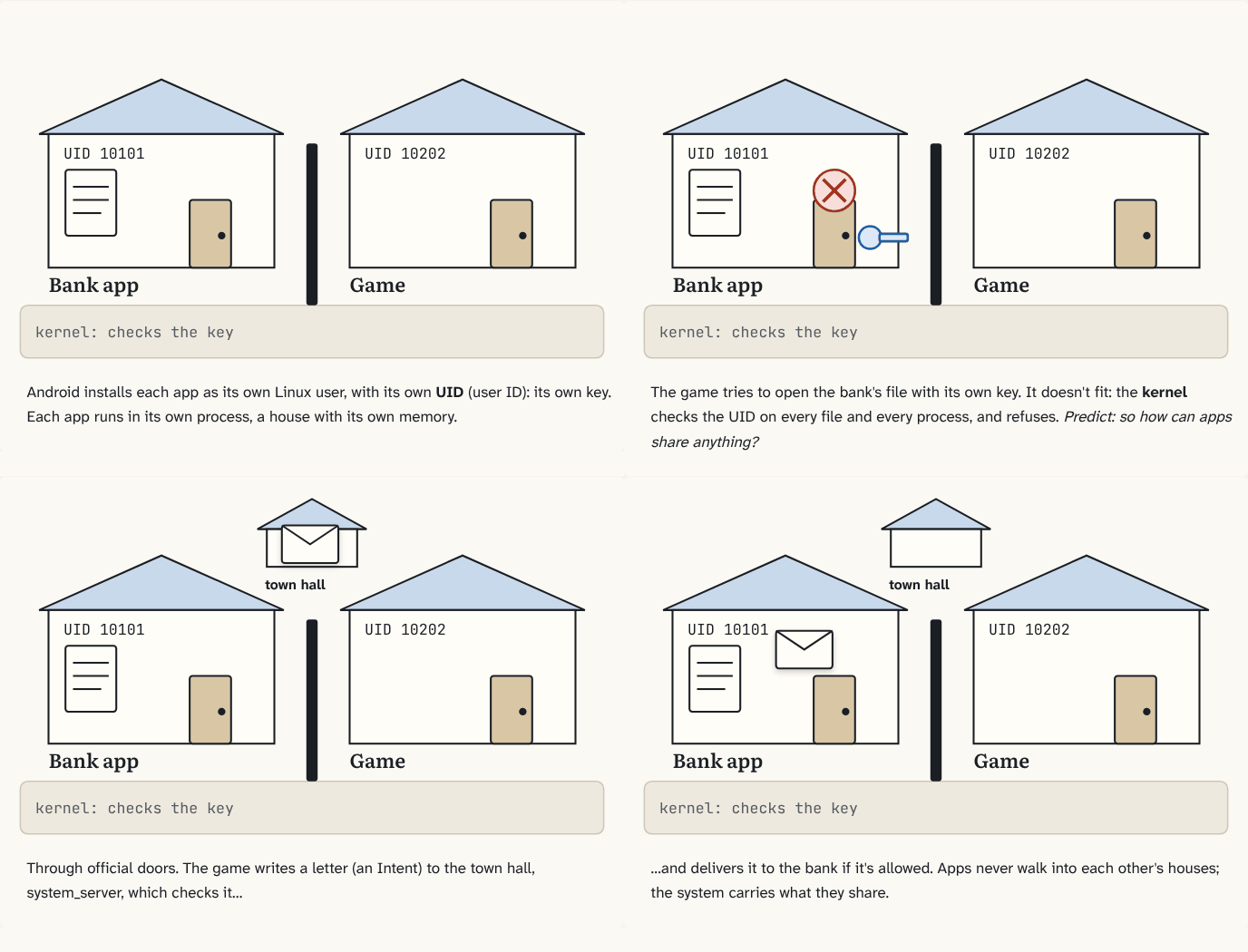
Step 1 of 4At install, every app gets its own account (Linux calls accounts users), with its own number: its user ID, or UID. It's the app's key, and the app's process carries it.
Step 2 of 4The game's key tries the bank's files. The kernel compares the key with the files' owner, and refuses. Predict: does this depend on the bank app running?
Step 3 of 4No: the kernel checks every time. Each app lives inside walls it can't switch off: its sandbox.
Step 4 of 4
The building block
Linux was built for computers shared by many people, so it keeps accounts apart. A Linux account isn't necessarily a person: it's an identity the kernel uses to decide who owns which files. Android reuses that: at install time, every app gets its own account, with its own user ID, or UID. The UID stays the same for as long as the app is installed. Files the app creates belong to its UID. And for every process, the kernel keeps a record of which UID it runs as: when that process opens a file, the kernel compares the file's UID with the process's UID. Match: the door opens. No match: refused.
The kernel checks the UID on every file and every process. The result is the sandbox: walls around each app's files and memory that no app can switch off, because the kernel enforces them.
The analogy
Every house has its own key. The kernel is the lock on every door: it opens only for the right key.
Check yourself
Sources
What you now know
Every app gets its own UID, its key. The kernel checks that key on every file, so one app can never open another's private files: the sandbox.
Answer every question above correctly to unlock the next puzzle.