CoursesBackend engineering from first request to production
Puzzle 13 · 14 of 18
What goes in a Docker image?
Predict which files a replacement container can read and write.
All puzzles in this course
The problem
Your release used a named volume. What happens if the server can read its program but cannot create its database?
See it
Scroll sideways to see the full diagram.
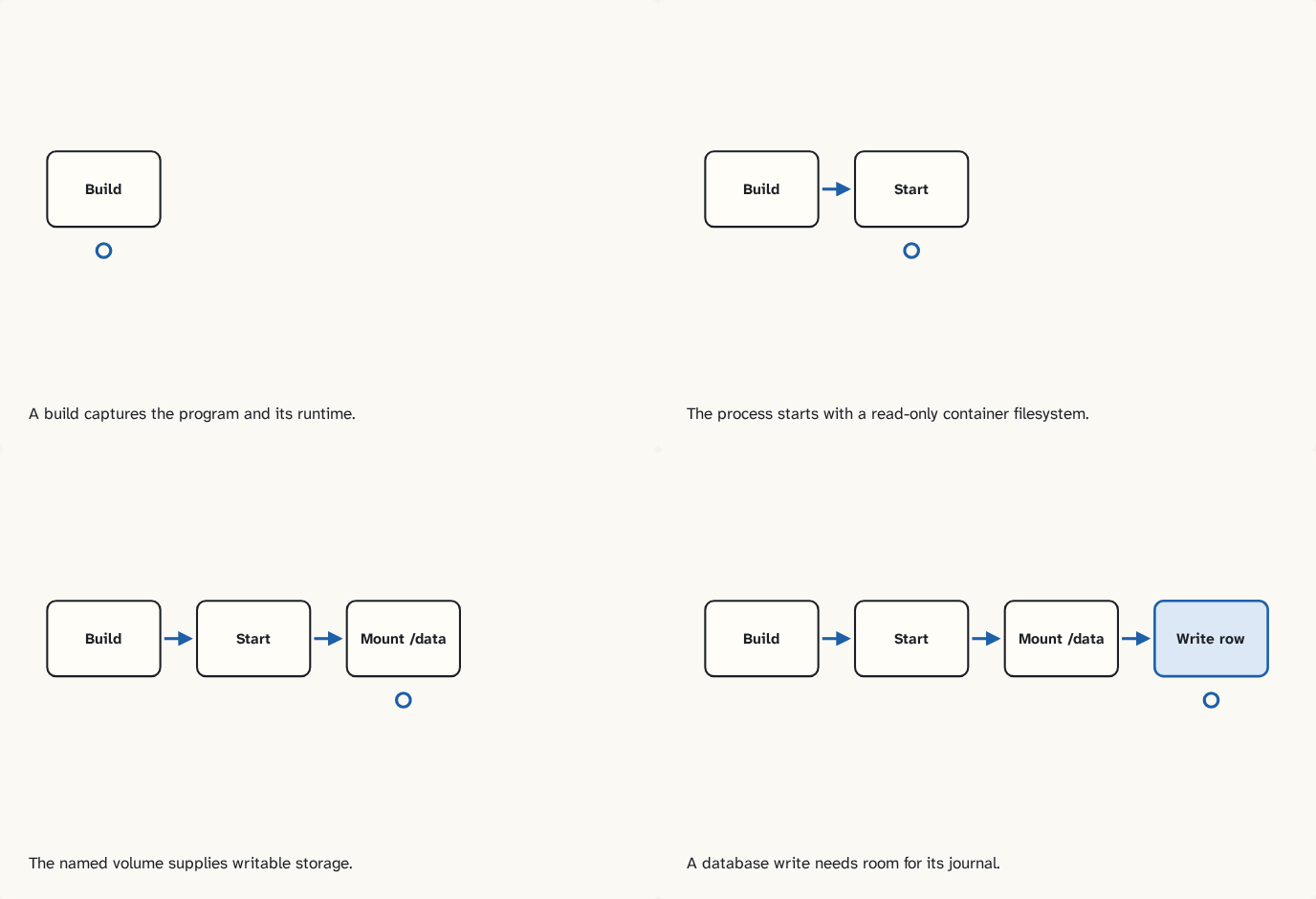
A build captures the program and its runtime.
Step 1 of 4The process starts with a read-only container filesystem.
Step 2 of 4The named volume supplies writable storage.
Step 3 of 4A database write needs room for its journal.
Step 4 of 4
The building block
Read the Dockerfile from top to bottom. The base supplies Python, the copy instruction adds the source file, the user instruction selects the runtime identity and the command starts the process. A build produces an image. Starting that image creates a container. In the drill the container filesystem is read-only and the volume mounted at /data is writable by the application user. SQLite also needs to create journal files beside its database. Granting write access only to the database file can still leave writes broken.
Diagnose the first write
An image contains the service code. At startup the program tries to create /data/bookmarks.db. With a read-only container filesystem and no separate mount, creation fails. A read-only mount at that path also fails. With a writable mounted directory accessible to the process user, the database can be created and its first transaction can write its journal beside it. If a working setup fails after replacing the container, inspect the mounted path, its write setting and the identity of the running user before rebuilding the image.
Try it
Optional local lab
Compare the two runs in the Docker filesystem drill. Explain the failing startup using the first error in the log.
Check yourself
Sources
What you now know
The image supplies the program. A writable mount supplies the database when the container filesystem is read-only.
Answer every question above correctly to unlock the next puzzle.
Something wrong or unclear on this page? Tell me: a puzzle that didn't click is a bug in the puzzle.