Android from the foundation · Puzzle 17 · 18 of 20
Turn the phone, lose your screen
In puzzle 3, system_server moved each Activity along its lifecycle. Turning the phone sends your Activity all the way to destroyed, and builds a new one.
The problem
In puzzle 3, system_server moved your Activity through its lifecycle: created, started, resumed, and in the end destroyed. Usually "destroyed" means the user closed the screen. But a counter you keep in a field of your Activity resets to 0 when the user just turns the phone sideways. Nobody closed anything. Where did it go?
See it
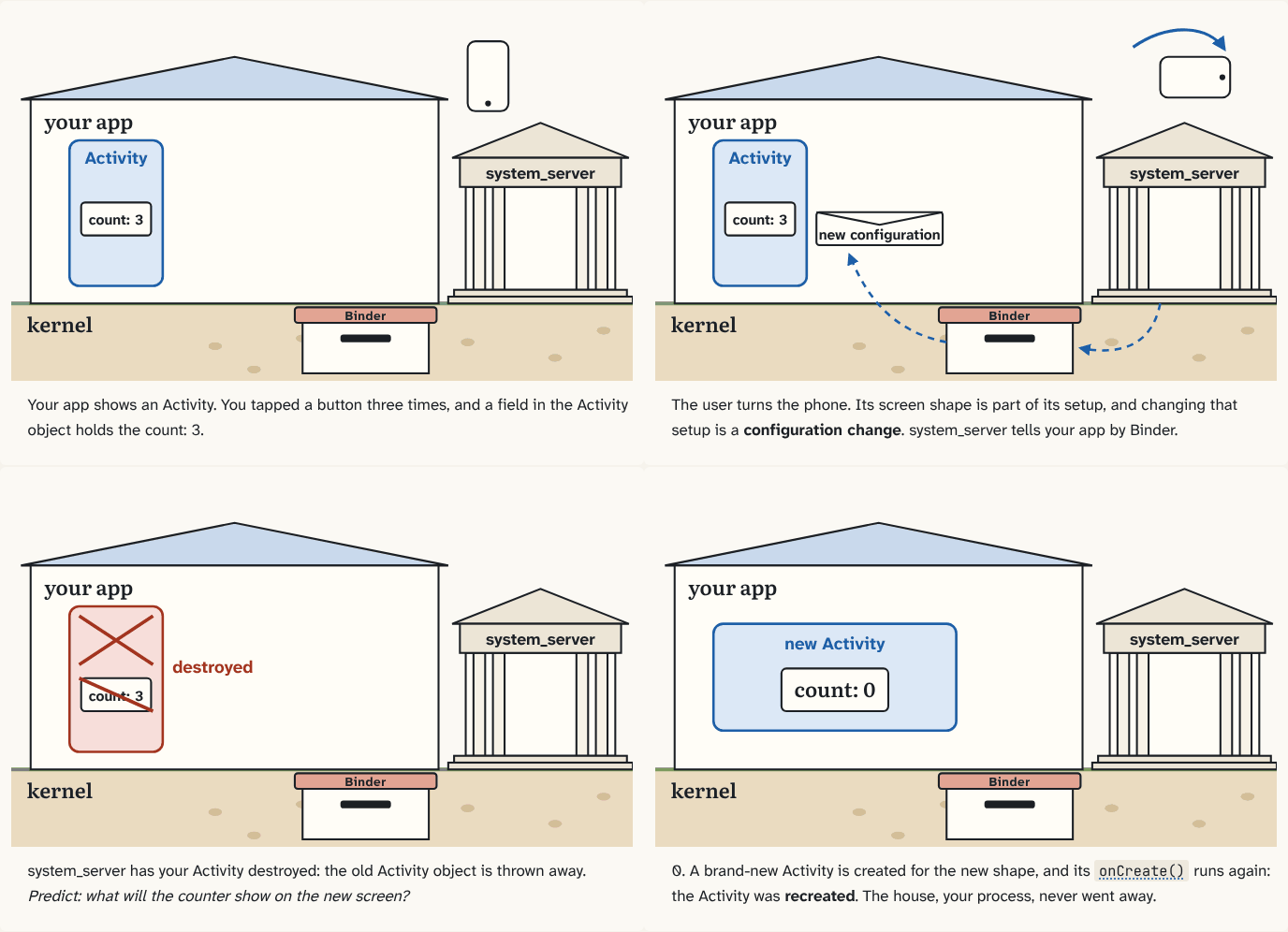
Your app shows an Activity. You tapped a button three times, and a field in the Activity object holds the count: 3.
Step 1 of 4The user turns the phone. Its screen shape is part of its setup, and changing that setup is a configuration change. system_server tells your app by Binder.
Step 2 of 4system_server has your Activity destroyed: the old Activity object is thrown away. Predict: what will the counter show on the new screen?
Step 3 of 40. A brand-new Activity is created for the new shape, and its
onCreate()Your override of this method is what the main thread calls when system_server says "create". 1864 protected void onCreate(@Nullable Bundle savedInstanceState) {Activity.java, line 1864 · AOSP frameworks/base ↗ runs again: the Activity was recreated. The house, your process, never went away.Step 4 of 4
The building block
How the phone is set up right now, its screen shape, dark mode on or off, its language, is its configuration. When it changes, that's a configuration change.
A new configuration can need a different screen: a wider layout, other text sizes, words in another language. The simplest way to get every part of the screen right is to build it again from scratch. So by default, system_server has your Activity recreated: the old Activity object is destroyed, and a new one is created, with its own onCreate()Your override of this method is what the main thread calls when system_server says "create". 1864 protected void onCreate(@Nullable Bundle savedInstanceState) {Activity.java, line 1864 · AOSP frameworks/base ↗, for the new configuration.
The process doesn't die: same house, same main thread, same memory for everything else. Only the Activity object is replaced. But whatever lived in that object's fields went with it. That's why the counter is 0.
The analogy
The room is torn down and built again in the new shape. Anything left lying in the old room is thrown out with it. The house itself stays standing.
Check yourself
Sources
- Android Developers: Handle configuration changes ("The system recreates an Activity when a configuration change occurs. To do this, the system calls onDestroy and destroys the existing Activity instance. It then creates a new instance using onCreate…")
What you now know
A configuration change (turning the phone, dark mode, language) destroys your Activity and creates a new one. The process stays; data kept in the old Activity's fields is gone.
Answer every question above correctly to unlock the next puzzle.
Something wrong or unclear on this page? Tell me: a puzzle that didn't click is a bug in the puzzle.