Kotlin Multiplatform, from the compiler up · Puzzle 4 · 5 of 16
An iOS app in one puzzle
The next puzzles put your Kotlin inside an iOS app. If you've never opened one, here's the minimum: the language, the tool, and the iOS piece that plays the role of an Activity, with Android names next to each.
The problem
From the next puzzle on, Swift code calls your Kotlin. You've never read Swift, iOS's language, never opened Xcode, Apple's IDE, and you don't know what an iOS screen is made of. What's the smallest picture you need?
See it
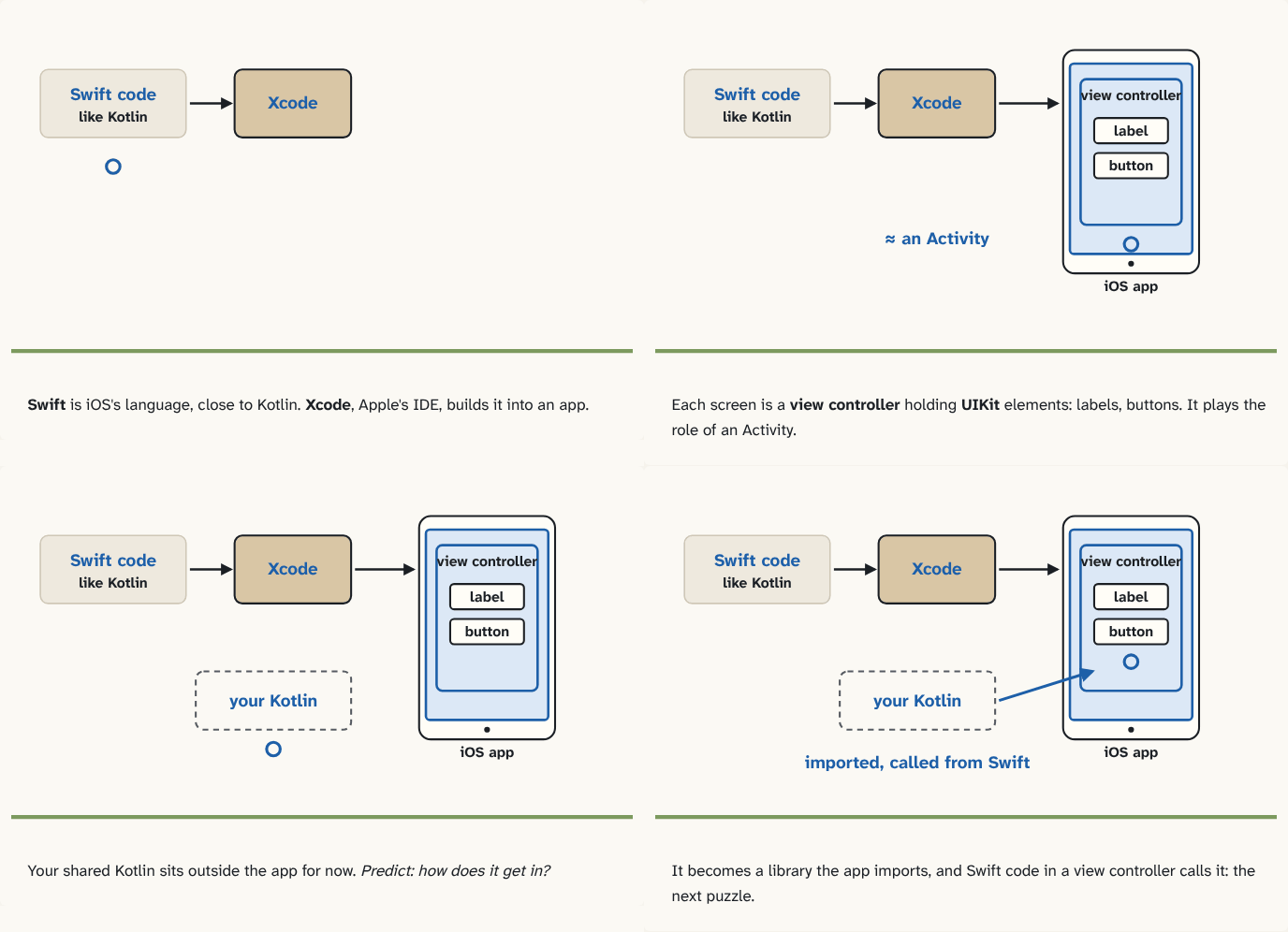
Swift is iOS's language, close to Kotlin. Xcode, Apple's IDE, builds it into an app.
Step 1 of 4Each screen is a view controller holding UIKit elements: labels, buttons. It plays the role of an Activity.
Step 2 of 4Your shared Kotlin sits outside the app for now. Predict: how does it get in?
Step 3 of 4It becomes a library the app imports, and Swift code in a view controller calls it: the next puzzle.
Step 4 of 4
The building block
Four names, each with its Android twin:
| iOS | What it is | On Android |
|---|---|---|
| Swift | The language of iOS apps | Kotlin |
| Xcode | Apple's IDE, which builds and runs the app | Android Studio |
| UIKit | Apple's framework for screens: buttons, lists, text | the View system |
| view controller | Manages one screen's UI elements and reacts to the user | an Activity or Fragment |
A minimal screen in Swift:
import UIKit

class GreetingViewController: UIViewController {
    let label = UILabel()           // let is Kotlin's val

    override func viewDidLoad() {   // like onCreate
        super.viewDidLoad()
        label.text = "Hello"
        view.addSubview(label)
    }
}
Swift will feel close to Kotlin: classes, override, optional types written with ?, and lambdas (Swift has its own name for them, coming in puzzle 8). Newer iOS apps often use SwiftUI, Apple's declarative UI, the way newer Android apps use Compose; KMP works with both.
Where does your Kotlin fit? It becomes a library this app imports (puzzle 5), and Swift code, often inside a view controller, calls it.
The analogy
Moving to a city where the streets have different names but the same layout. "Main Street" is "Hauptstraße"; once you have the map of names, you find your way.
Check yourself
Sources
- Apple: UIViewController ("A view controller's main responsibilities include the following: Updating the contents of the views, usually in response to changes to the underlying data; Responding to user interactions with views")
- The Swift Programming Language: The Basics (constants are declared with
let, variables withvar)
What you now know
iOS apps are written in Swift, in Xcode, Apple's IDE. Screens are built with UIKit, Apple's screen framework (or the newer SwiftUI). A view controller manages one screen's UI elements and reacts to the user, much like an Activity or Fragment. Swift looks like Kotlin: let is val, var is var, and a class can subclass UIViewController the way yours subclasses Activity.
Answer every question above correctly to unlock the next puzzle.
Something wrong or unclear on this page? Tell me: a puzzle that didn't click is a bug in the puzzle.