iOS for Android developers · Puzzle 1 · 2 of 5
The run loop is your Looper
On Android, the main thread runs a Looper: take a message from the queue, run it, repeat. iOS has the same idea under another name. Here it is, and the one way it differs.
The problem
On Android, you know the main thread's routine: a Looper takes the next message from its queue, runs it to the end, and repeats, and nothing touches the screen from anywhere else. Your iOS screen also needs touches handled, timers fired and redraws done, one after another, on one thread. Who runs that loop on iOS?
See it
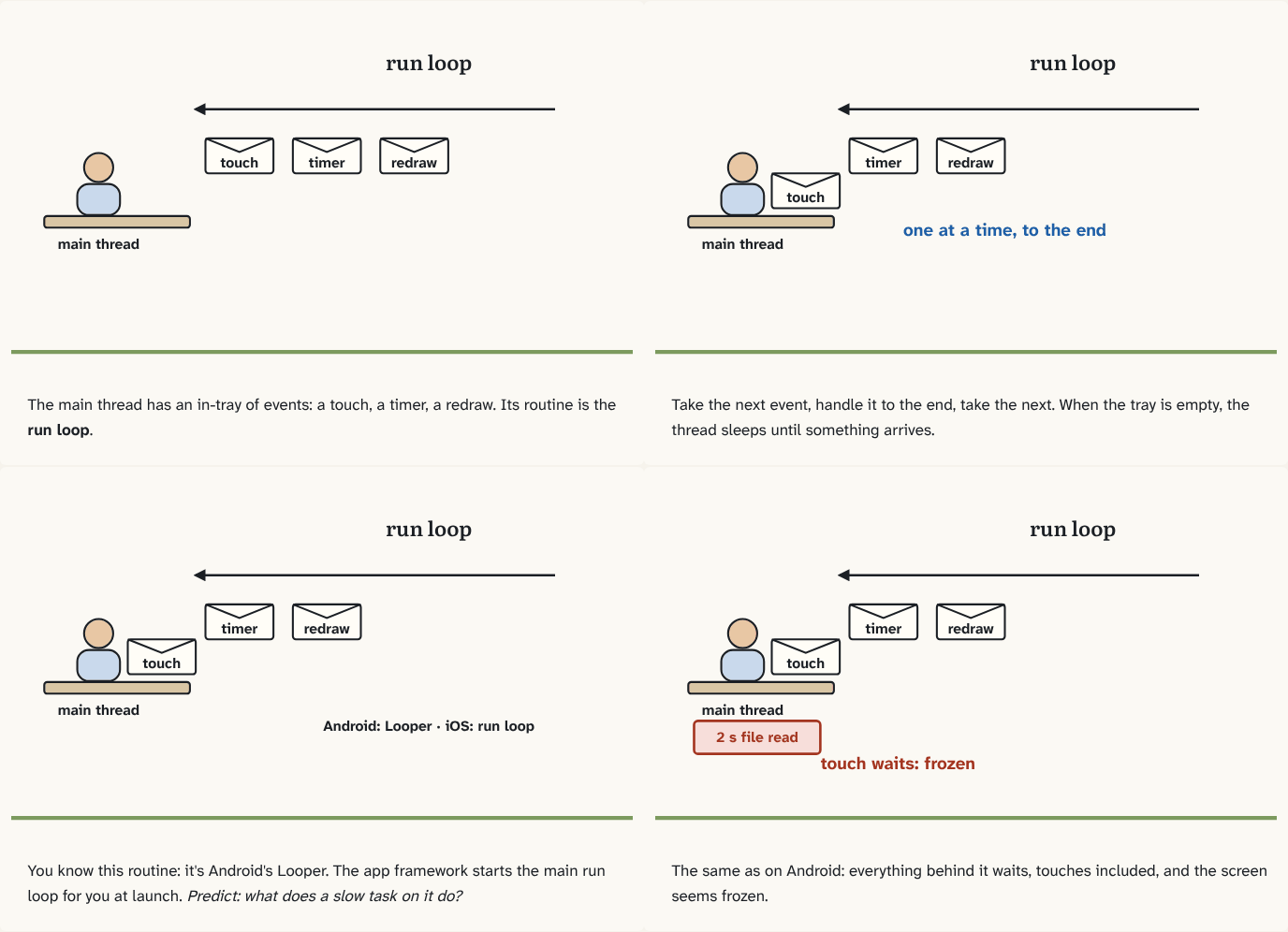
The main thread has an in-tray of events: a touch, a timer, a redraw. Its routine is the run loop.
Step 1 of 4Take the next event, handle it to the end, take the next. When the tray is empty, the thread sleeps until something arrives.
Step 2 of 4You know this routine: it's Android's Looper. The app framework starts the main run loop for you at launch. Predict: what does a slow task on it do?
Step 3 of 4The same as on Android: everything behind it waits, touches included, and the screen seems frozen.
Step 4 of 4
The building block
iOS calls it a run loop: an event processing loop. Every thread can have one, created the first time it's needed. It waits for work, a touch, a timer, a task from elsewhere; handles it; and when nothing is left, puts the thread to sleep until the next thing arrives. Same job as Android's Looper, same reason: one thread handles events one at a time, so nothing has to lock the screen.
You don't start the main one yourself: UIKit sets up and runs the run loop on the main thread when the app launches, the way Android's ActivityThread.main() starts the main Looper. Other threads only run their run loop if you start it.
And the rule you already know carries over exactly: screen work happens on the main thread, and anything slow you do there blocks the loop. A touch waits behind it, and the screen stops responding, iOS's version of jank.
The analogy
The same clerk from the Android house, with a different name on the badge: work from the in-tray, one item at a time, and doze off at the desk when the tray is empty.
Check yourself
Sources
- Apple: Threading Programming Guide, Run Loops ("A run loop is an event processing loop that you use to schedule work and coordinate the receipt of incoming events. The purpose of a run loop is to keep your thread busy when there is work to do and put your thread to sleep when there is none"; "each thread, including the application's main thread, has an associated run loop object… The app frameworks automatically set up and run the run loop on the main thread")
What you now know
Every iOS thread has a run loop: an event loop that handles work when there is some and puts the thread to sleep when there is none. The app framework starts the main thread's run loop for you, just as Android starts the main Looper. UI work belongs on that loop, so blocking it freezes the screen.
Answer every question above correctly to unlock the next puzzle.
Something wrong or unclear on this page? Tell me: a puzzle that didn't click is a bug in the puzzle.