Android from the foundation · Puzzle 18 · 19 of 23
Slow work off the main thread, and back
Puzzle 17 said slow work must leave the main thread. But only the main thread may touch the screen. Here's the trip every Android app makes: hand the work to another thread, then hand the result back.
The problem
A tap should load a 2-second list. On the main thread, the screen freezes for 2 seconds and might even get an ANR (puzzle 17). On another thread, the list loads, but that thread may not touch the screen (puzzle 3). How does the list get from one to the other?
See it
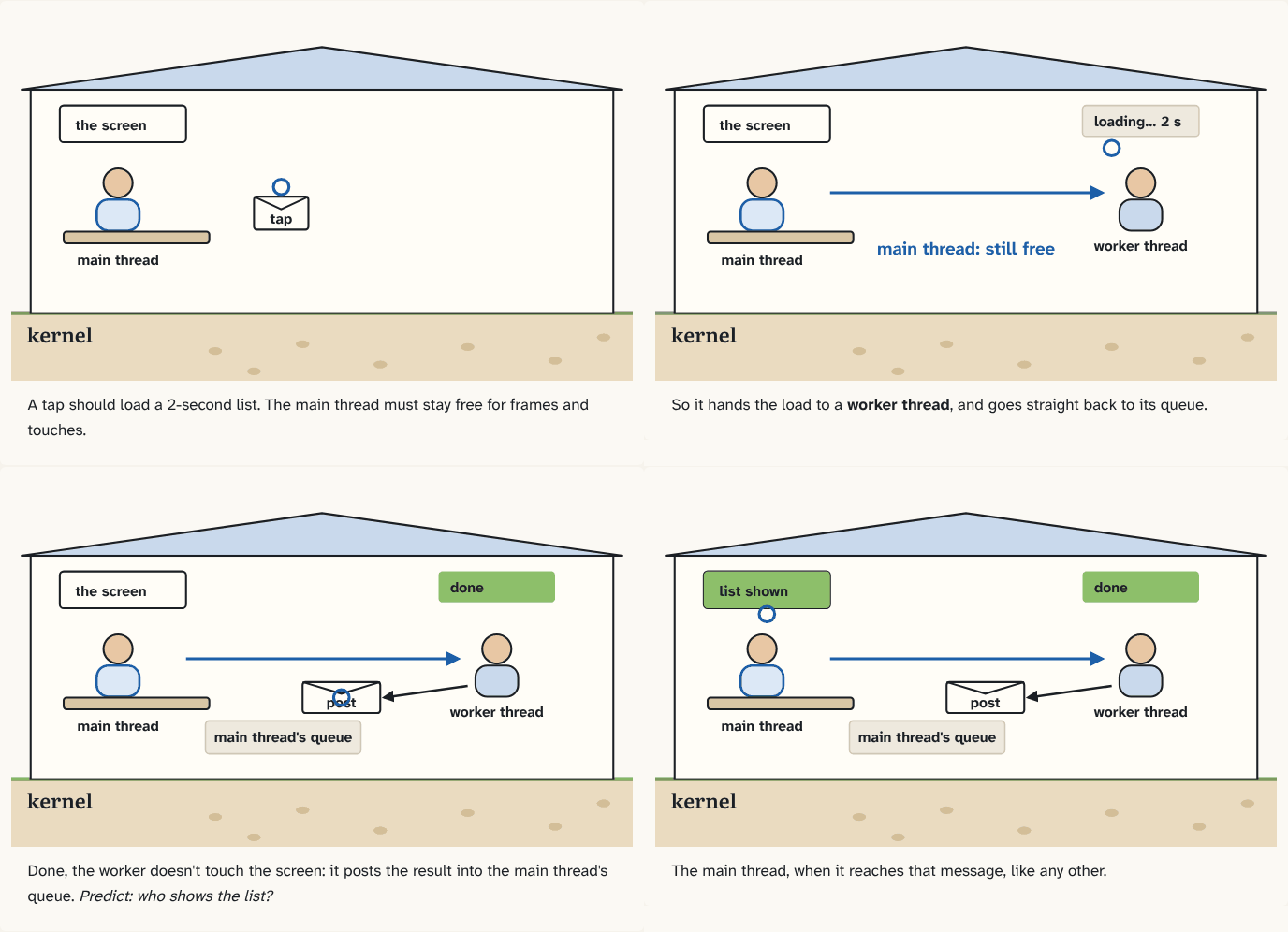
A tap should load a 2-second list. The main thread must stay free for frames and touches.
Step 1 of 4So it hands the load to a worker thread, and goes straight back to its queue.
Step 2 of 4Done, the worker doesn't touch the screen: it posts the result into the main thread's queue. Predict: who shows the list?
Step 3 of 4The main thread, when it reaches that message, like any other.
Step 4 of 4
The building block
A worker thread is any thread that isn't the main thread, made to do slow work: download, read a file, sort a big list. While it works, the main thread keeps drawing frames and handling touches.
When the worker has the result, it doesn't touch the screen itself. It posts a small piece of code to the main thread's message queue (puzzle 16), and the main thread runs it when it gets there, like any other message:
val main = Handler(Looper.getMainLooper())   // a Handler for the main thread's queue

button.setOnClickListener {
    thread {                                  // a new worker thread
        val items = loadList()                // 2 seconds, off the main thread
        main.post { list.show(items) }        // back on the main thread
    }
}
thread { } (from Kotlin's standard library) starts a new thread that runs the code in the braces. Inside an Activity, runOnUiThread { } is a shortcut for the same post.
That's the whole pattern: out to a worker, back with a post. In real apps you'll write it with Kotlin coroutines, which make exactly this trip for you; underneath, the result still comes back as a message on the main thread.
The analogy
The clerk at the front desk sends a runner to the archive. The clerk keeps serving visitors. When the runner comes back, he doesn't barge in: he drops the file in the clerk's in-tray, and the clerk hands it to the visitor.
Check yourself
Sources
- Android Developers: Processes and threads overview ("Android offers several ways to access the UI thread from other threads":
Activity.runOnUiThread(Runnable),View.post(Runnable),View.postDelayed(Runnable, long)) - Kotlin API: thread ("Creates a thread that runs the specified block of code.")
What you now know
Slow work runs on a worker thread, so the main thread stays free for frames and touches. The worker never touches the screen: it posts the result back to the main thread's queue (with a Handler for the main thread, or runOnUiThread), and the main thread shows it. Coroutines make the same trip for you.
Answer every question above correctly to unlock the next puzzle.
Something wrong or unclear on this page? Tell me: a puzzle that didn't click is a bug in the puzzle.