Android from the foundation · Puzzle 3 of 16
Who decides about your screens
Your app doesn't decide when its own screens appear or go away. A separate Android process does, and tells your app.
The problem
In puzzle 2, the main thread drew your app's screen. But many apps are running, and only one can be on screen. Someone has to decide which screen is in front, which ones are covered or hidden, and which ones are closed. That can't be each app for itself.
See it
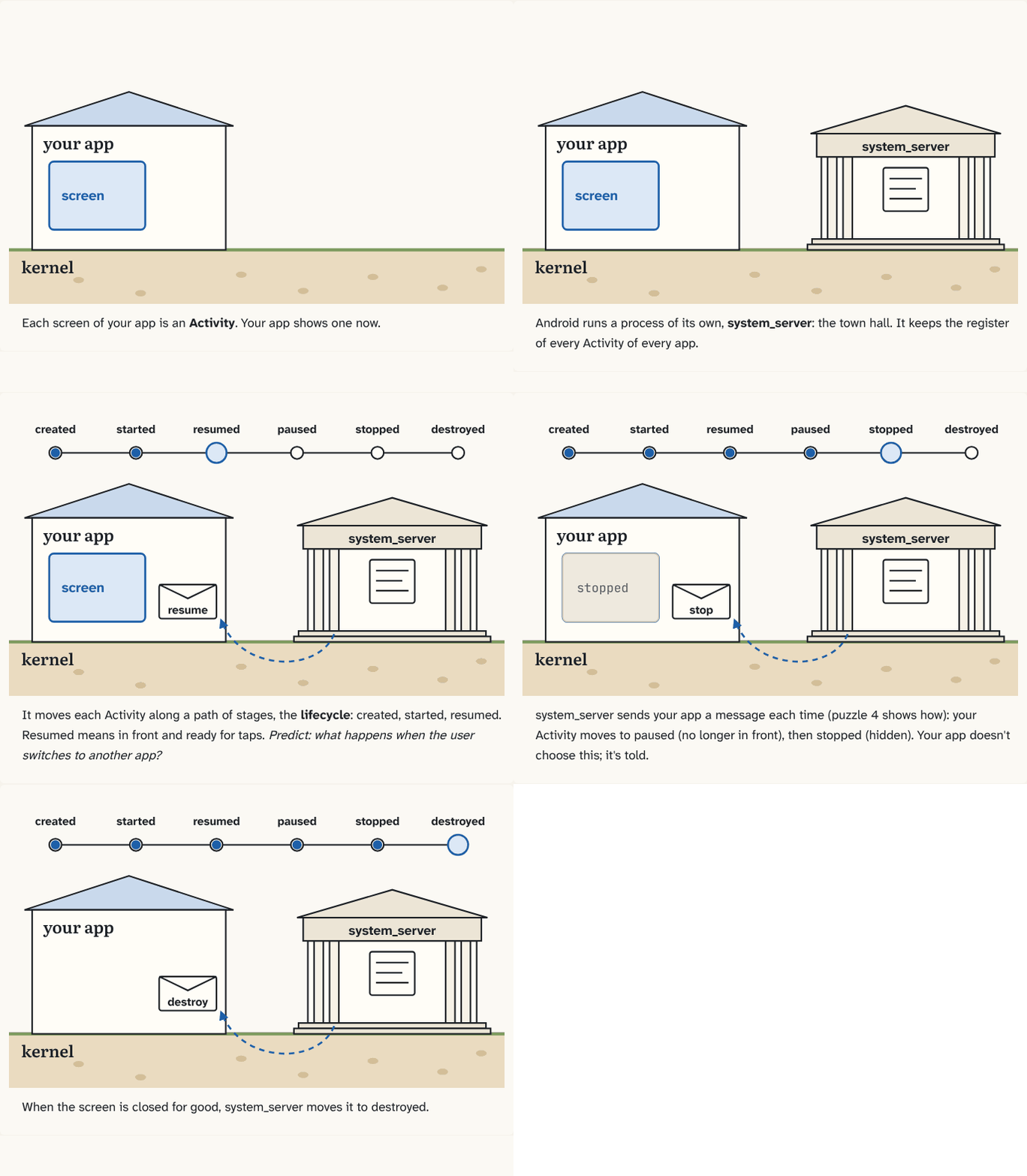
Each screen of your app is an Activity. Your app shows one now.
Step 1 of 5Android runs a process of its own, system_server: the town hall. It keeps the register of every Activity of every app.
Step 2 of 5It moves each Activity along a path of stages, the lifecycle: created, started, resumed. Resumed means in front and ready for taps. Predict: what happens when the user switches to another app?
Step 3 of 5system_server sends your app a message each time (puzzle 4 shows how): your Activity moves to paused (no longer in front), then stopped (hidden). Your app doesn't choose this; it's told.
Step 4 of 5When the screen is closed for good, system_server moves it to destroyed.
Step 5 of 5
The building block
In Android, each screen of an app is an Activity.
Android runs one long-lived process of its own, system_server. It keeps a register of every Activity of every app, and it decides what happens to each one.
system_server moves each Activity along a fixed path of stages, called the lifecycle, and your app is told about every move:
- created: the screen is set up, not yet visible;
- started: visible;
- resumed: in front, ready for taps;
- paused: still visible, but no longer in front (a dialog covers it);
- stopped: not visible anymore (another app is in front);
- destroyed: gone for good.
The analogy
system_server is the town hall. It keeps the official register of every house and every room, and it decides which room is open. The houses don't decide for themselves; they get told.
Check yourself
Sources
What you now know
system_server is the town hall. It keeps the register of every app's screens and moves each screen through its lifecycle. Your app follows.
Answer every question above correctly to unlock the next puzzle.