Mobile system design, from a packet to an app · Puzzle 2 · 3 of 11
Anatomy of an HTTP call
Retrofit hides the request behind an annotation and hands you an object back. The rest of this course reads the parts it hides. Here they are, once, mapped to the Retrofit code you already write.
The problem
You write @GET("users/42") and get a User. When something fails, Retrofit gives you a code like 404 or 503, and later puzzles talk about parts of the request it hides. What exactly travels, and what do those numbers mean?
See it
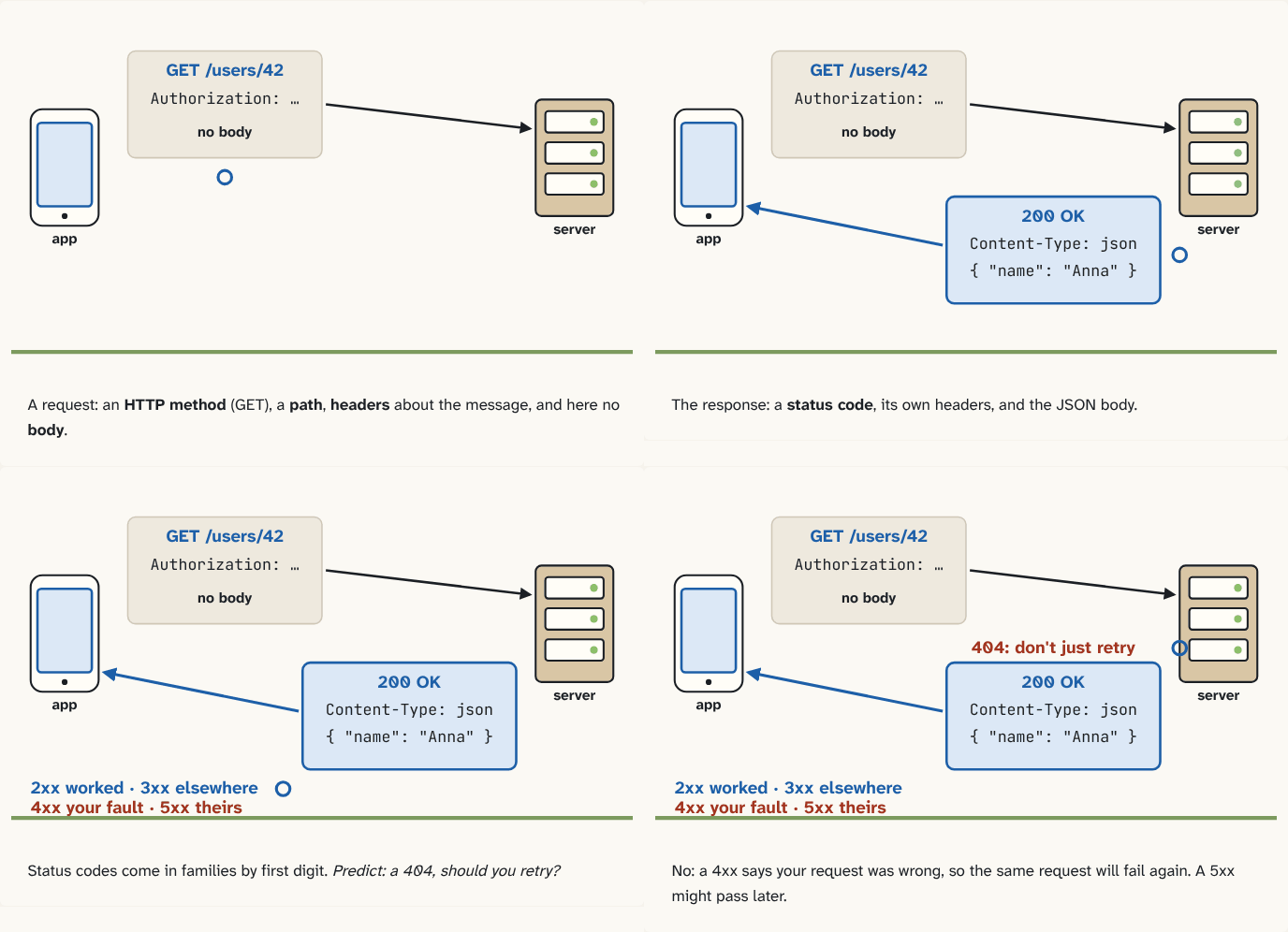
A request: an HTTP method (GET), a path, headers about the message, and here no body.
Step 1 of 4The response: a status code, its own headers, and the JSON body.
Step 2 of 4Status codes come in families by first digit. Predict: a 404, should you retry?
Step 3 of 4No: a 4xx says your request was wrong, so the same request will fail again. A 5xx might pass later.
Step 4 of 4
The building block
An HTTP request has four parts:
| Part | Example | In Retrofit |
|---|---|---|
| HTTP method | GET, POST, PUT, DELETE | @GET, @POST… |
| path | /users/42 | the annotation's string |
| headers | Authorization: Bearer … | @Header, or an interceptor |
| body | JSON of a new order | @Body |
The method says what you want: GET reads, POST creates something new, PUT replaces something at that path, DELETE removes it. Headers are name–value pairs about the message, not the data itself: who you are, what format you accept, how long something may be cached.
The response comes back with a status code, headers, and a body. Status codes come in families, by their first digit:
| Family | Meaning | Examples |
|---|---|---|
| 2xx | it worked | 200 OK, 201 Created |
| 3xx | look elsewhere, or use what you have | 301 Moved Permanently |
| 4xx | your request was wrong | 400 Bad Request, 401, 404, 429 Too Many Requests |
| 5xx | the server failed | 500, 503 |
The family is what your code usually decides on: a 4xx won't fix itself if you send the same request again; a 5xx might.
The analogy
A letter to an office: the method is what you're asking for ("please file this", "please send me that"), the path is which department, the headers are the notes on the envelope, the body is the letter. The reply comes with a stamp: approved, see the other office, your form is wrong, or we're closed.
Check yourself
Sources
- MDN: An overview of HTTP ("HTTP headers make this protocol easy to extend and experiment with"; requests and responses as HTTP messages)
- MDN: HTTP response status codes ("Responses are grouped in five classes: Informational responses (100 – 199), Successful responses (200 – 299), Redirection messages (300 – 399), Client error responses (400 – 499), Server error responses (500 – 599)")
What you now know
An HTTP request is a method (GET to read, POST to create, PUT to replace, DELETE to remove), a path, headers (name: value pairs about the message) and an optional body. The response has a status code, headers and a body. Status codes come in families: 2xx worked, 3xx look elsewhere or use what you have, 4xx your request was wrong, 5xx the server failed.
Answer every question above correctly to unlock the next puzzle.
Something wrong or unclear on this page? Tell me: a puzzle that didn't click is a bug in the puzzle.