Mobile system design, from a packet to an app · Puzzle 1 · 2 of 11
Finding the server
Puzzle 0 said every packet carries an address. Your code never writes one: it writes a name like api.example.com. Here's how the phone turns that name into a number, and what that costs.
The problem
Your Retrofit base URL is https://api.example.com. Puzzle 0 said IP delivers packets by address. A name isn't an address. So before the first packet can leave, something has to turn the name into a number. What, and how long does it take?
See it
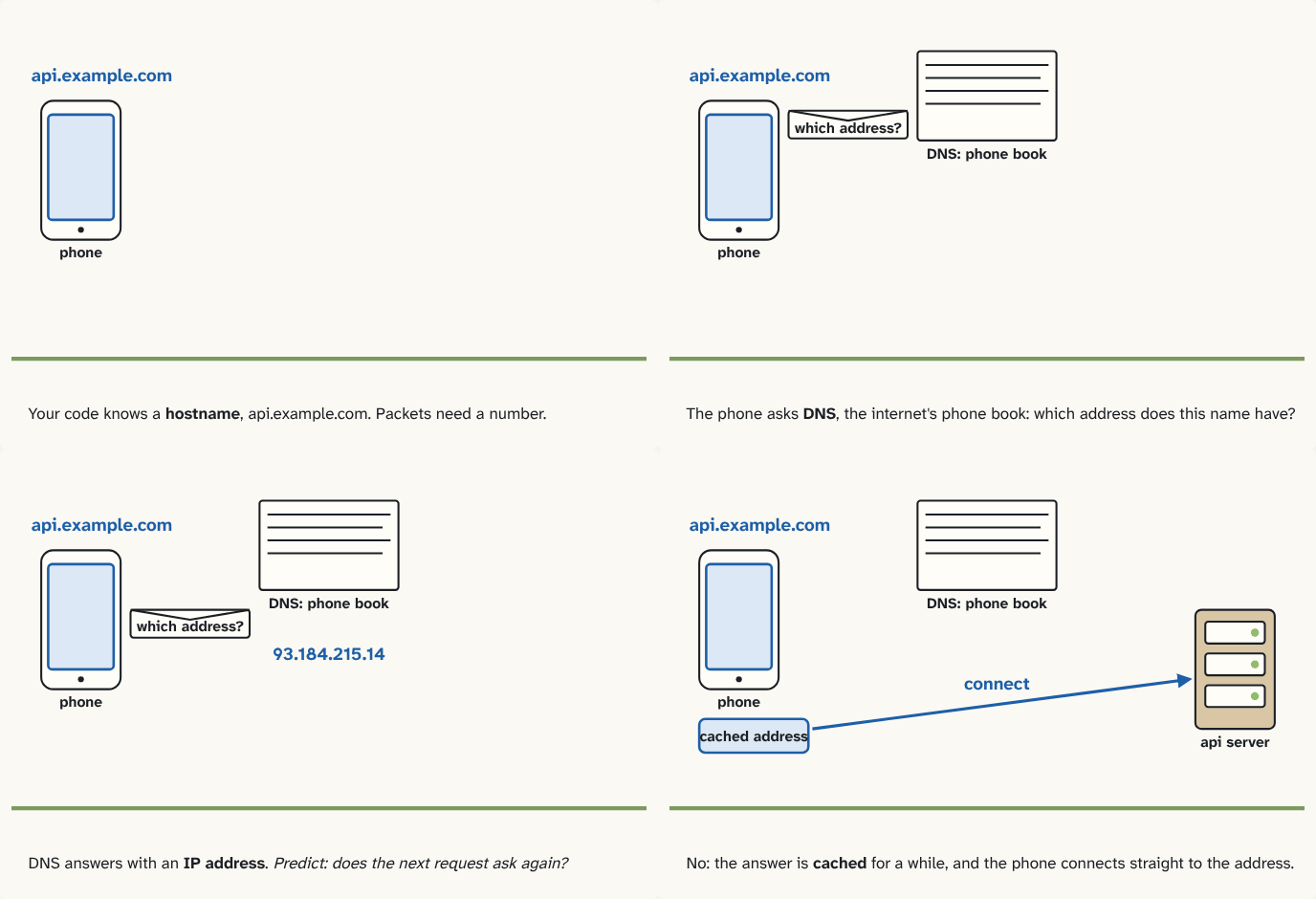
Your code knows a hostname, api.example.com. Packets need a number.
Step 1 of 4The phone asks DNS, the internet's phone book: which address does this name have?
Step 2 of 4DNS answers with an IP address. Predict: does the next request ask again?
Step 3 of 4No: the answer is cached for a while, and the phone connects straight to the address.
Step 4 of 4
The building block
Every machine reachable on the internet has an IP address: a number, like 93.184.215.14, that routers read to deliver each packet.
Numbers are hard to remember and change when a company moves servers, so people and code use a hostname instead: api.example.com.
DNS, the Domain Name System, is the internet's phone book: a worldwide system of servers that answers "which address does this hostname have?". Before your app's first connection to a host, the phone sends that question and waits for the answer.
Two consequences for an app:
- The very first request to a host waits for a DNS answer first: more waiting before anything useful happens.
- The answer is cached: kept for a while by the phone (and by DNS servers on the way), so the next requests skip the lookup.
The analogy
Looking up a friend's number in your contacts before you can call. The first time, you search; after that, the number's on your recent calls list.
Check yourself
Sources
- MDN: DNS ("DNS (Domain Name System) is a hierarchical and decentralized naming system for Internet-connected resources. DNS maintains a list of domain names along with the resources, such as IP addresses, that are associated with them.")
What you now know
Every machine on the internet has an IP address, a number that routers use to deliver packets. People and code use hostnames instead, like api.example.com. Before the first connection, the phone asks DNS, the internet's phone book, which address a hostname has. That lookup is one more round trip on a cold start, so the answer is cached for a while.
Answer every question above correctly to unlock the next puzzle.
Something wrong or unclear on this page? Tell me: a puzzle that didn't click is a bug in the puzzle.