CoursesCompose Multiplatform, one screen from state to pixels
Puzzle 2 · 3 of 4
Which side hosts the other?
Place a shared bookmarks screen in an iOS app, then put an Apple text field inside the shared screen.
All puzzles in this course
The problem
Our shared bookmarks screen already runs on Android. On iOS it sits under the app’s existing navigation bar. The search field uses UIKit because it needs a behavior specific to Apple’s text field. Which object hosts which?
See it
Scroll sideways to see the full diagram.
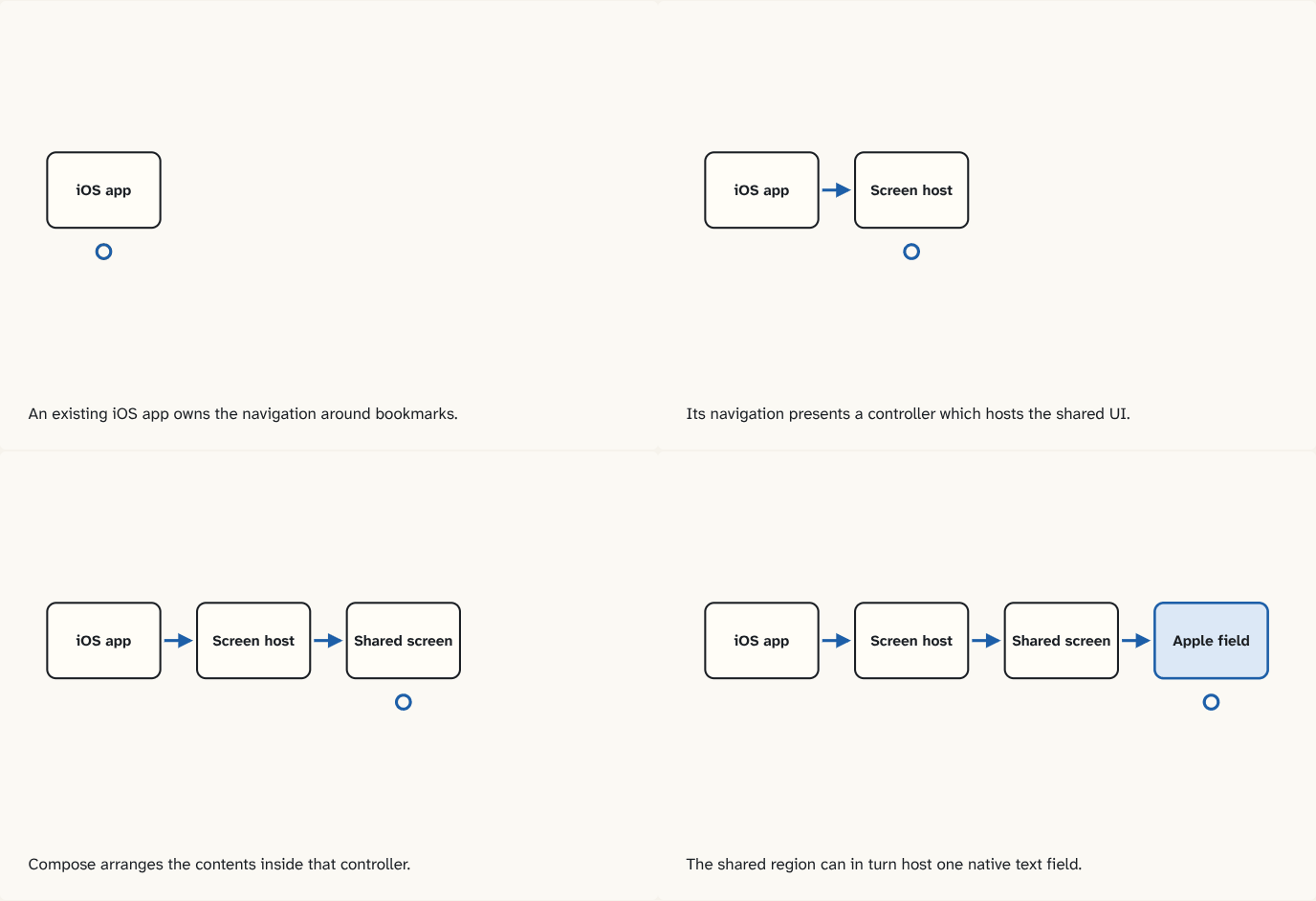
An existing iOS app owns the navigation around bookmarks.
Step 1 of 4Its navigation presents a controller which hosts the shared UI.
Step 2 of 4Compose arranges the contents inside that controller.
Step 3 of 4The shared region can in turn host one native text field.
Step 4 of 4
The building block
A hosting boundary is where one UI system gives a region to the other. There are two different directions in this example.
| Need | What to use | Owner of the surrounding region |
|---|---|---|
| Show the shared bookmarks in an existing iOS app | ComposeUIViewController | UIKit or a SwiftUI wrapper around that controller |
| Put a native search field inside the shared screen | UIKitView | Compose |
A view controller manages an area of UIKit UI. The controller returned by ComposeUIViewController hosts the shared composables. The rendering phases still run inside that shared region. SwiftUI can show that controller using UIViewControllerRepresentable, an adapter that lets SwiftUI display a UIKit controller.
Within the shared area, UIKitView can host a UITextField, Apple's text input view. Its factory creates the view. Its update callback can copy the latest shared value onto that existing view when the displayed text differs. User edits go in the other direction, through a native callback that updates the shared value.
For a field driven by shared state, make both directions explicit: user edit → shared value → displayed text. If you change the shared value through another action, such as Clear, the native field needs the update path to show the change.
Go deeperA reset while the keyboard is open
The field writes edits to shared state, but a tap on Clear changes only that state. Which missing edge can leave old text on screen?
The native edit callback handles the other direction. The update callback has to copy the cleared shared value into the existing native field.
Check yourself
What you now know
A shared screen can sit inside an iOS view controller. Inside that screen, a native view can be embedded with distinct creation and update steps.
Answer every question above correctly to unlock the next puzzle.
Something wrong or unclear on this page? Tell me: a puzzle that didn't click is a bug in the puzzle.