CoursesCompose Multiplatform, one screen from state to pixels
Puzzle 7 · 8 of 11
Who read the bookmark count?
Module 1 took Compose apart. Now a real shared screen. Tap a bookmark, find where the count is read, and move that read so only the header runs again.
All puzzles in this course
The problem
Module 1 ended with the whole stack, from the compiler plugin down to the edge that meets the phone. Now we use it on one shared screen that runs on Android and iOS. A reading app shows a header with the number of bookmarks and a list of saved items below it. Tapping a bookmark changes the count from 2 to 3. Puzzle 3 said Compose marks the groups that read the count. On this screen, which group is that, and how much of the screen runs again?
See it
Scroll sideways to see the full diagram.
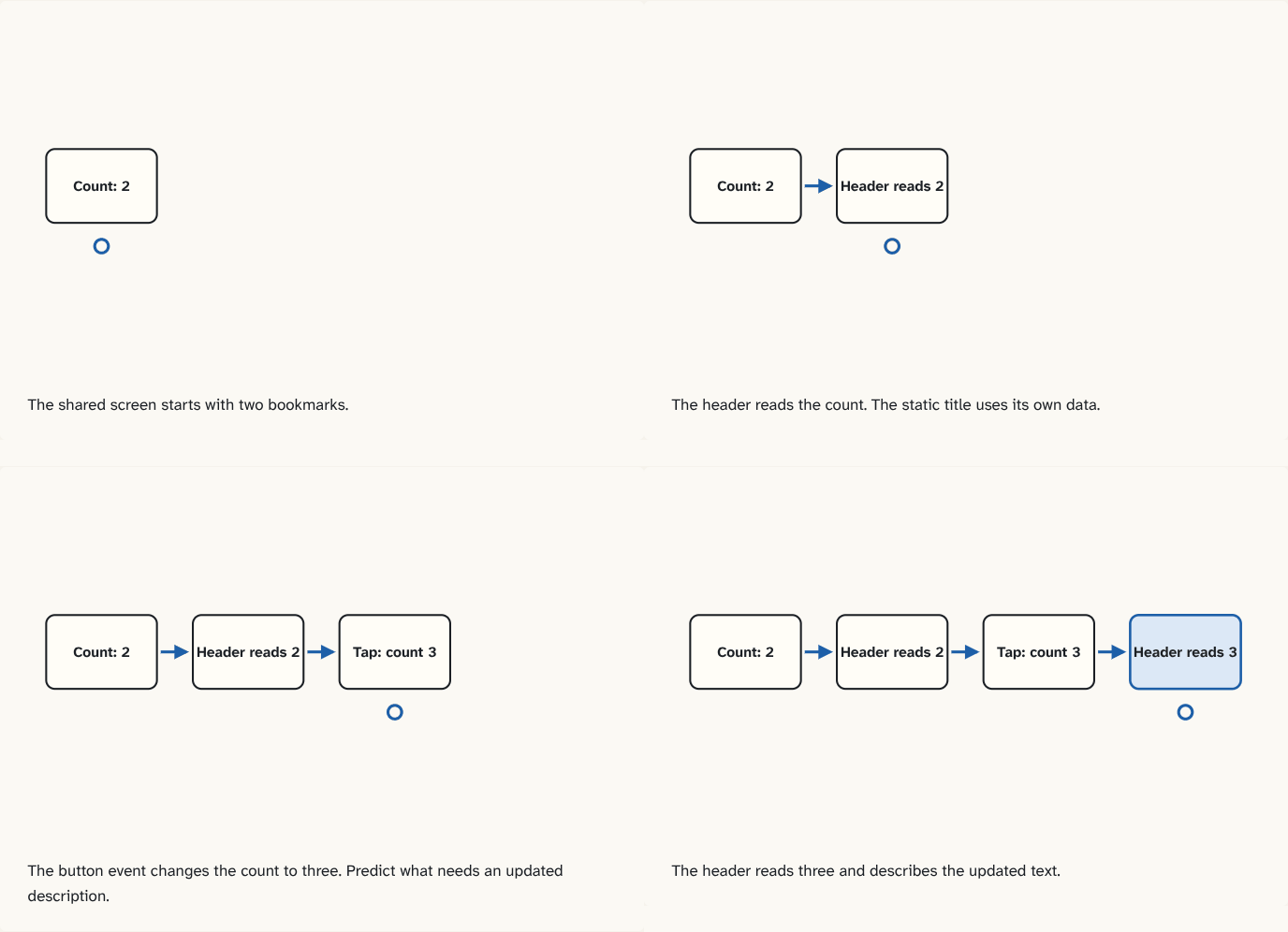
The shared screen keeps the bookmark count in snapshot state. It calls a header that shows the count, and a list of saved items.
Step 1 of 5The screen reads
count.valueitself and passes the number 2 down to the header. So the state read happens in the screen's group.Step 2 of 5A tap changes the count to 3. Predict: which group does Compose mark?
Step 3 of 5The screen's, because that's where the read happened. The whole screen runs again; the header gets 3, and the list is skipped only because its arguments are equal.
Step 4 of 5Pass a lambda that reads the count, and call it inside the header. Now the read happens in the header, and a tap marks only the header: deferring a read.
Step 5 of 5
The building block
The obvious version reads the count at the top and hands a number down:
@Composable
fun BookmarksScreen(count: State<Int>) {
    BookmarkHeader(count = count.value)   // the read happens here
    BookmarkList()
}
count.value is evaluated while BookmarksScreen runs, so the state read is noted against the screen's group. A tap marks the screen, and the whole screen body runs again: the header gets a new number and runs, and the list is skipped only because its arguments are equal (puzzle 4). On a small screen that's cheap. On a big one, or with a value that changes on every frame, it's work you don't need.
The fix is to move the read to where the value is used. Pass a lambda that reads the count, and call it inside the header:
@Composable
fun BookmarksScreen(count: State<Int>) {
    BookmarkHeader(count = { count.value })   // no read here
    BookmarkList()
}

@Composable
fun BookmarkHeader(count: () -> Int) {
    Text("Bookmarks: ${count()}")             // the read happens here
}
Now the screen never reads the count. The lambda runs, and reads it, while BookmarkHeader runs, so the read is noted against the header's group. A tap marks only the header, and the screen and the list don't run at all. That's deferring a read: moving a state read out of a parent and into the child that needs the value, so less code runs again when it changes. Passing the State object itself works the same way, as long as the child is the one that reads .value.
The lambda doesn't cost you skipping either. Under strong skipping (puzzle 4), the compiler remembers lambdas written inside a composable, so when the screen runs again for another reason, the header gets the same lambda instance and is skipped.
Deferring is a tool, not a rule. Android's guide lists it under fixing a performance issue you've found: reach for it when a value changes often, or the parent is big.
Go deeperMove one read
If the header receives the state object and reads its value inside the header, where is the state read?
In the header. Passing the object from the parent doesn't read the count; only reading .value does, and that happens while the header runs.
The analogy
The theatre's scoreboard. If the stage manager reads the score and calls the number to one performer, a change of score means the stage manager's whole scene is redone. Hand the performer a window onto the scoreboard instead, and only that performer's line is redone when the score changes.
Check yourself
Sources
- Android Developers: Follow best practices ("Defer reads as long as possible When a performance issue has been identified, deferring state reads can help."; "if your UI has state that is hoisted high up in the composable tree and you read the state in a child composable, you can wrap the state read in a lambda function. Doing this makes the read occur only when it is actually needed."; "Deferring state reads will ensure that Compose re-runs the minimum possible code on recomposition.")
- Android Developers: Strong skipping mode ("With strong skipping enabled, every lambda inside a composable function will be automatically remembered.")
- Android Developers: Jetpack Compose phases ("When you read the value of a snapshot state during one of the phases listed previously, Compose automatically tracks what it was doing when it read the value.")
What you now know
The group that runs again is the one where the state read happened, not the one that shows the value. Pass the state object, or a lambda that reads it, down to the composable that needs the value, and a change marks only that composable. That's deferring a read.
Answer every question above correctly to unlock the next puzzle.
Something wrong or unclear on this page? Tell me: a puzzle that didn't click is a bug in the puzzle.